
Account Setup & Access

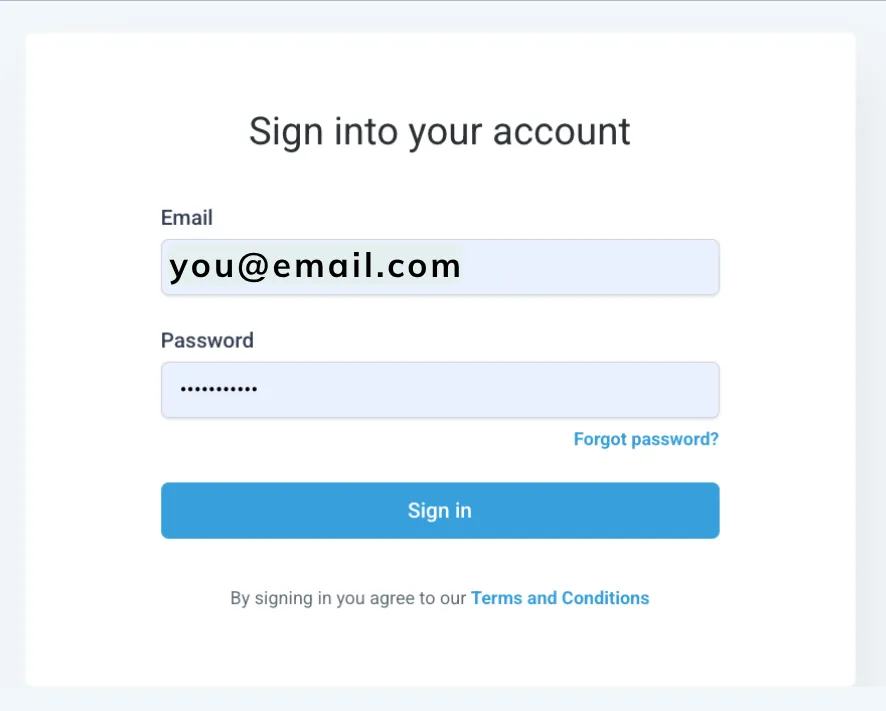
Login to your account
Go to app.yourvillashoplocal.com.
Use your email and password or click “Forgot Password” if needed.
Prior to your System Setup Session you will need...
Your Business EIN
Your legal business name and physical business address
Access to your website domain (GoDaddy, Squarespace, Clourflare, etc)
Google Business Profile login (if applicable)
Facebook Business Manager login (if applicable)
Don't worry—you don't need to send this information in advance. Simply have it available during your Zoom meeting...but if you want to save a bit of time in the meeting, click below to submit your information.
Success Tips for your System Setup Session
Please attend from a computer.
The meeting will be on Google Meet. Be ready to share your screen.
Allow about 60 minutes.
Keep your phone nearby for verification codes.
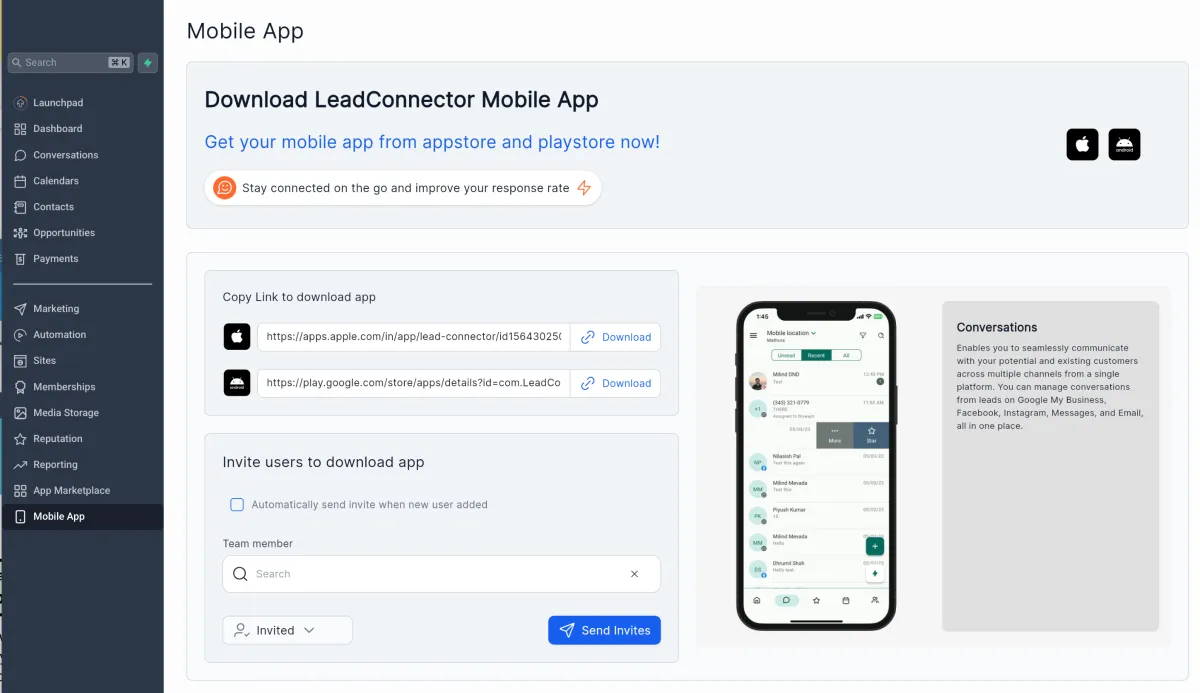
Download the Mobile App to have access on the go!
Go to Mobile App
Copy the link for your phone type.
Log in using your same business email.
This will be covered during your session, but you can reference back to the instructions here.
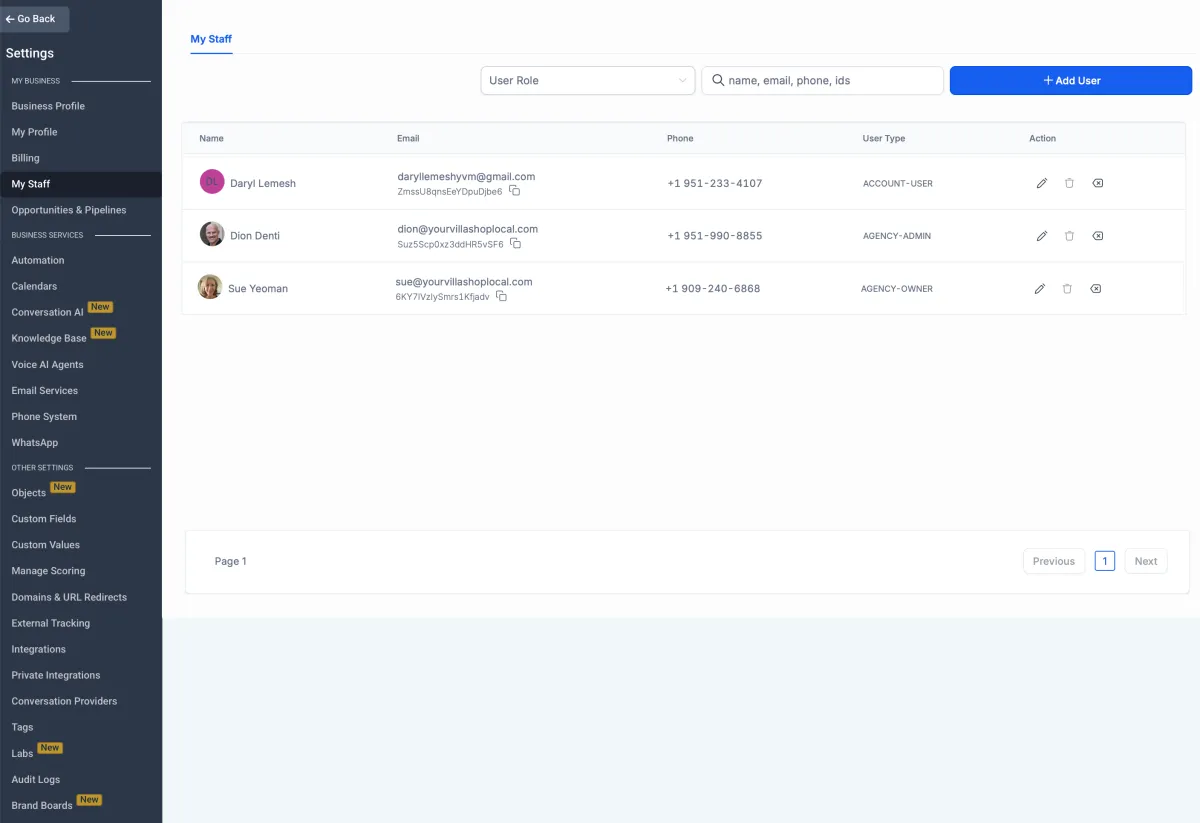
Add Your Team
Go to "Settings" at the bottom of the Menu Bar
Click "My Staff:
Click blue button to +Add User
Staff members can manage reviews, track referrals, authorize payouts.
Give access to Conversations, Contacts, and Opportunities to enable client engagement.
Testimonials

John Doe
Lorem ipsum dolor sit amet, consectetur adipiscing elit, sed do eiusmod tempor incididunt ut labore et dolore magna aliqua. Ut enim ad minim veniam, quis nostrud exercitation ullamco laboris nisi ut aliquip ex ea commodo consequat.


Jane Doe
Lorem ipsum dolor sit amet, consectetur adipiscing elit, sed do eiusmod tempor incididunt ut labore et dolore magna aliqua. Ut enim ad minim veniam, quis nostrud exercitation ullamco laboris nisi ut aliquip ex ea commodo consequat.