
Reviews – QR Code & Customer Sentiment
Invite happy customers to leave a Google or Facebook review and automatically join your referral program.

Example Script:
I’m so glad you’re happy with your service today!
If you have a quick moment, would you mind leaving us a review?
You can just open your phone camera and scan this QR code — it’ll take you right to our review page. Once you fill in your name, phone, and email, you can leave your review on Google or Facebook and you will be added to our Refer-a-Friend program.
Keep an eye on your text messages and email — your personal referral link will arrive shortly. When you share that link, your friends will receive PROMOTIONAL OFFER, and you’ll earn REFERRAL REWARD for each new customer you refer! We really appreciate your business and hope you will share your experience with others.
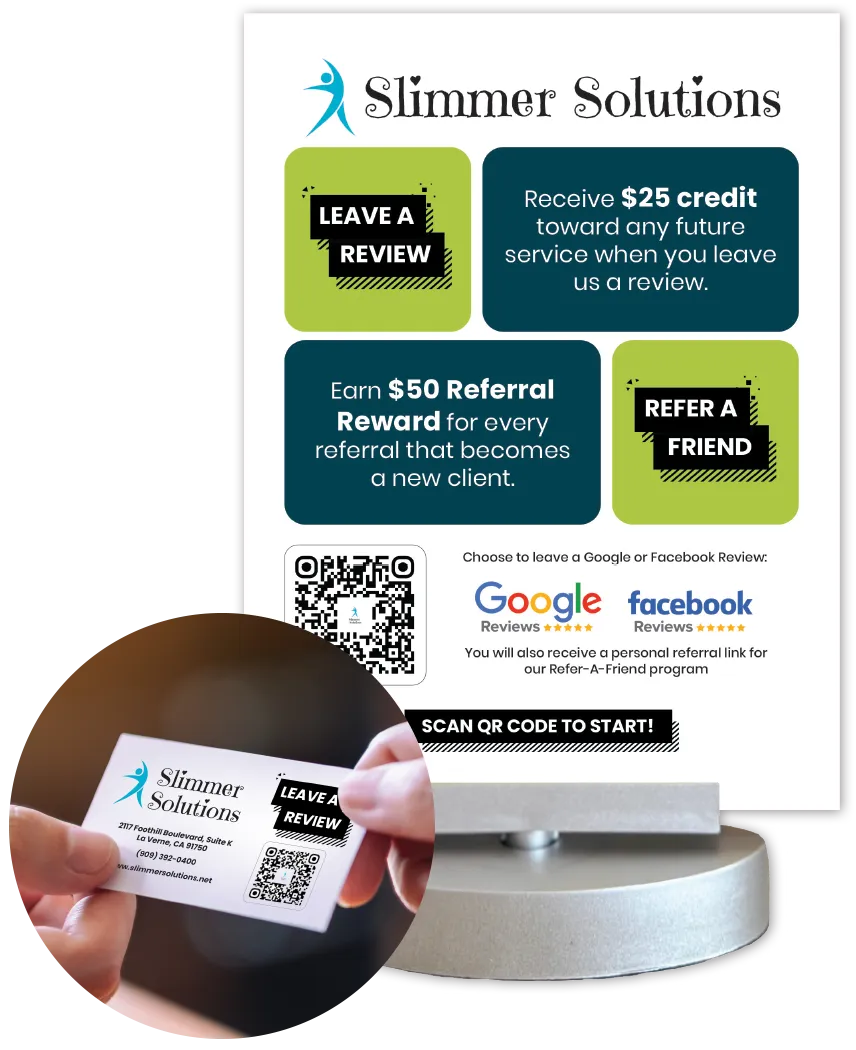
How it Works:
Customers scan your ShopLocal review QR code.
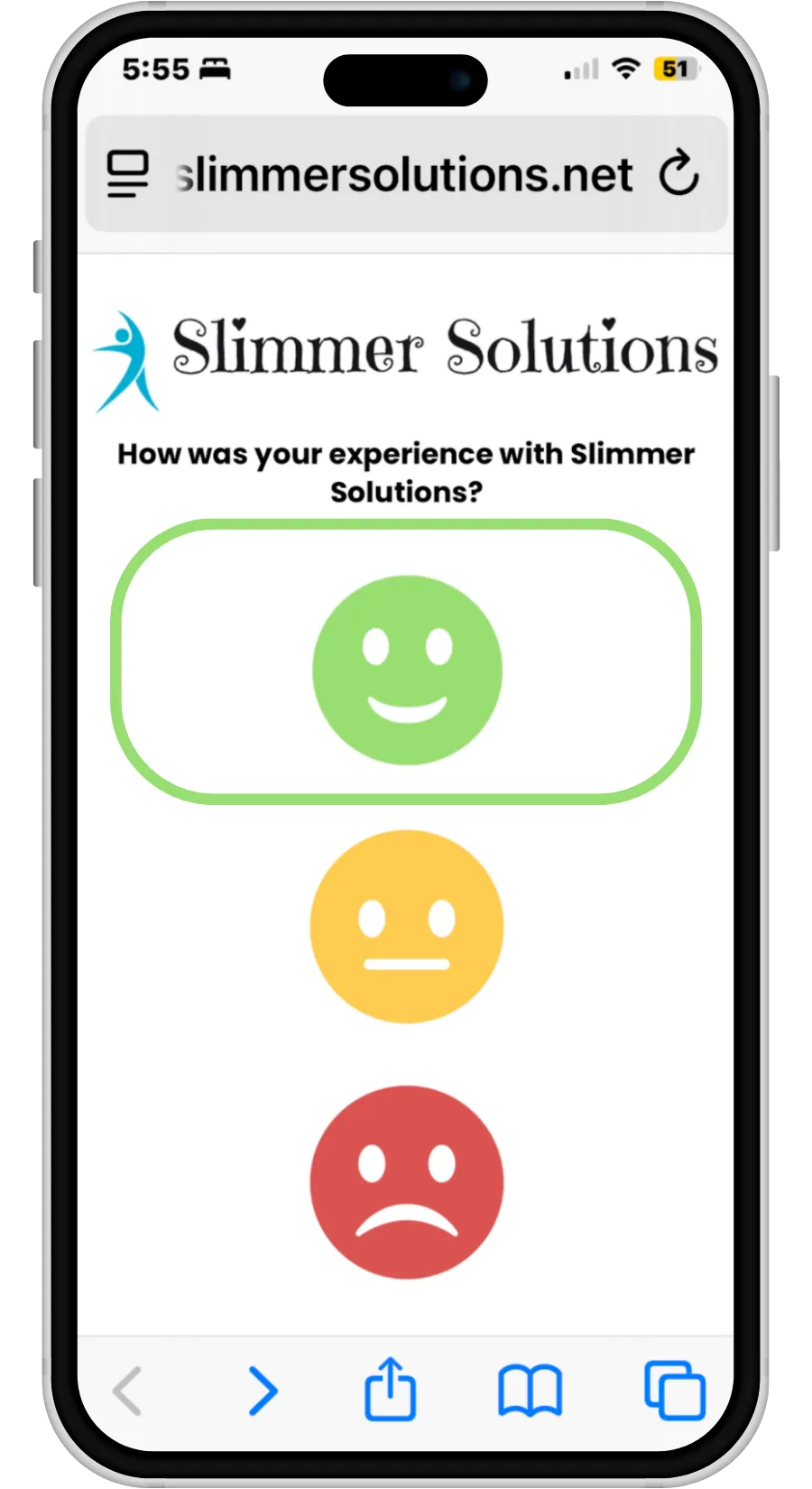
They select their experience: Happy 😊
Okay 😐 / Not Happy 😞
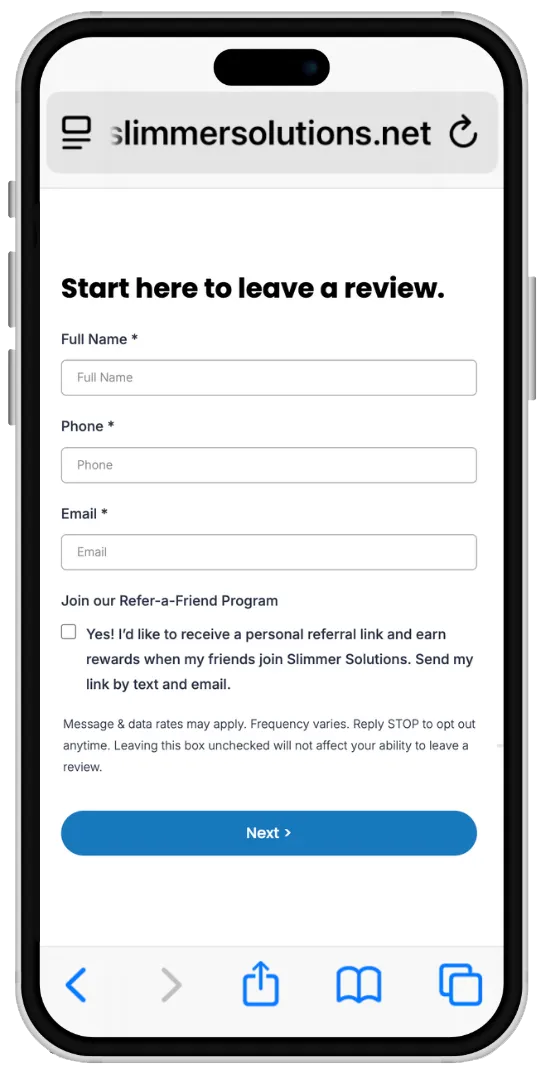
Happy customers are automatically added as Promoters (with opt-in)
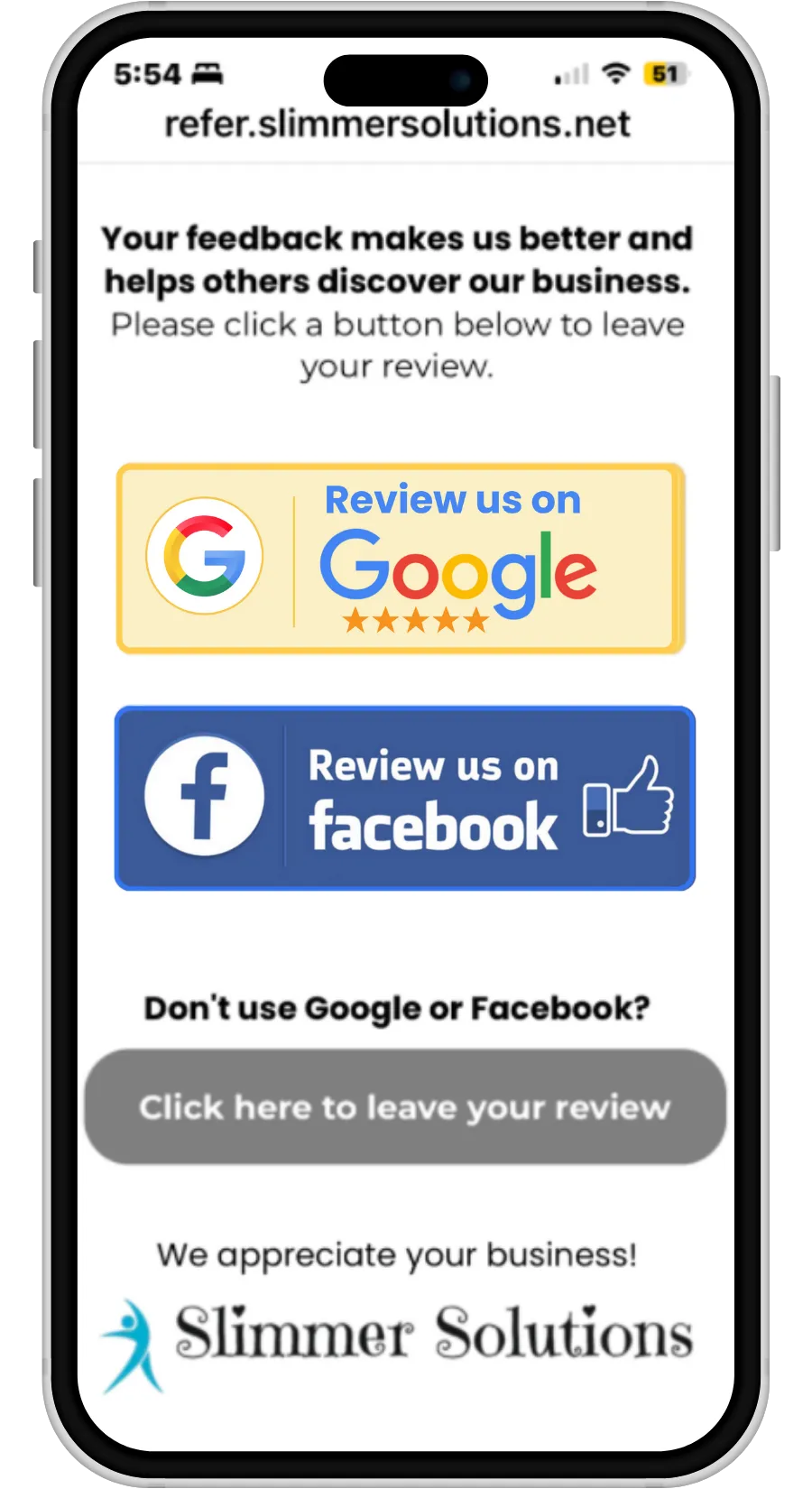
Reviews can be left on
Google, Facebook, or sent internally.
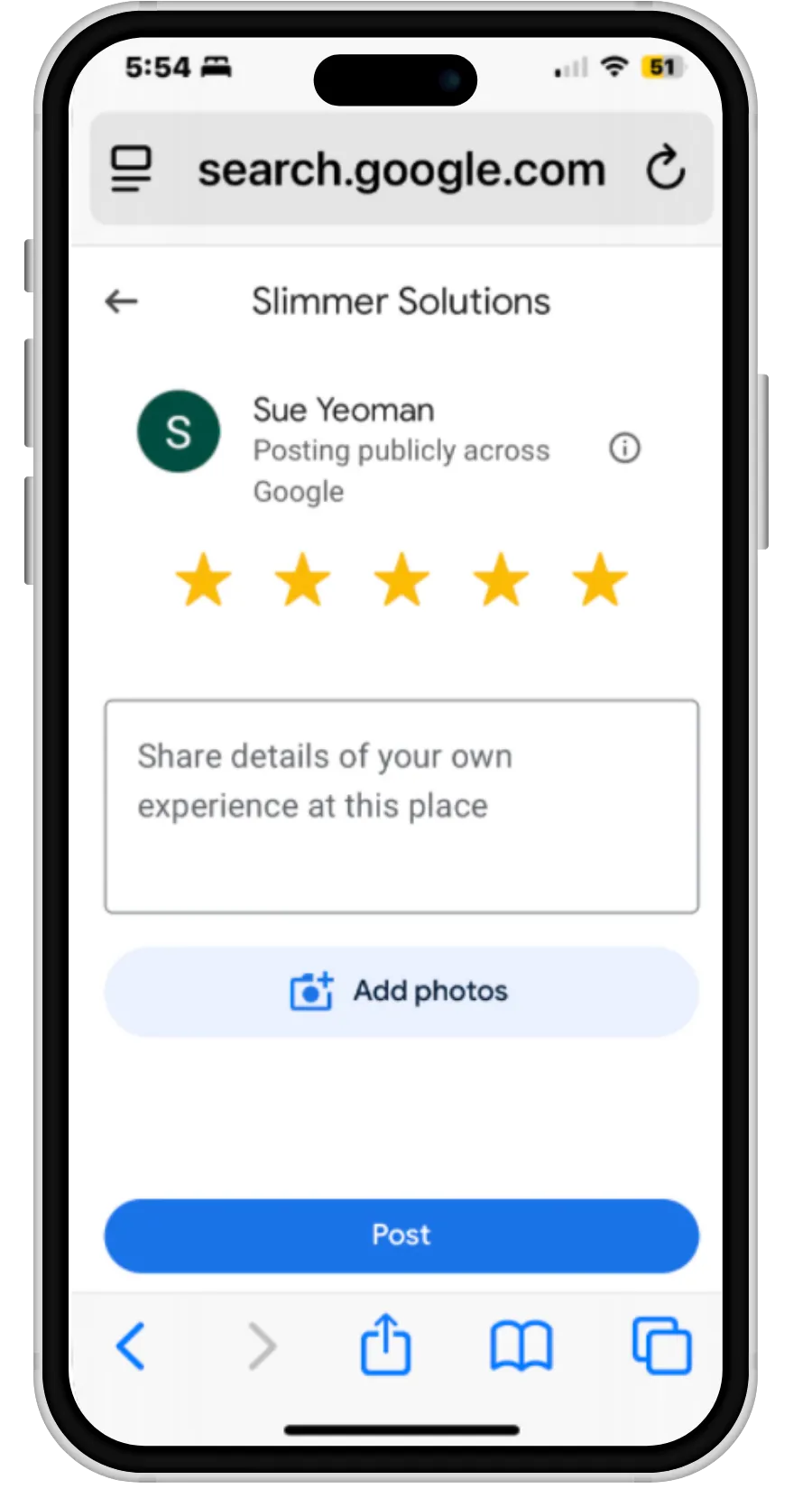
Review links take the client directly to the review platform to leave a review.
Happy Customers become Promoters with one simple click.
By checking the box to join your Refer-a-Friend Program, sign-up is automatic.
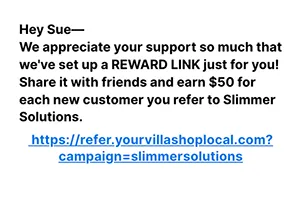
Immediately after checking the box, your client will receive a Text Message and a Welcome Email with their personal referral link.
Over the next several months, the Promoter will receive a series of messages explaining how to use their Reward Link and encouraging them to share your business.
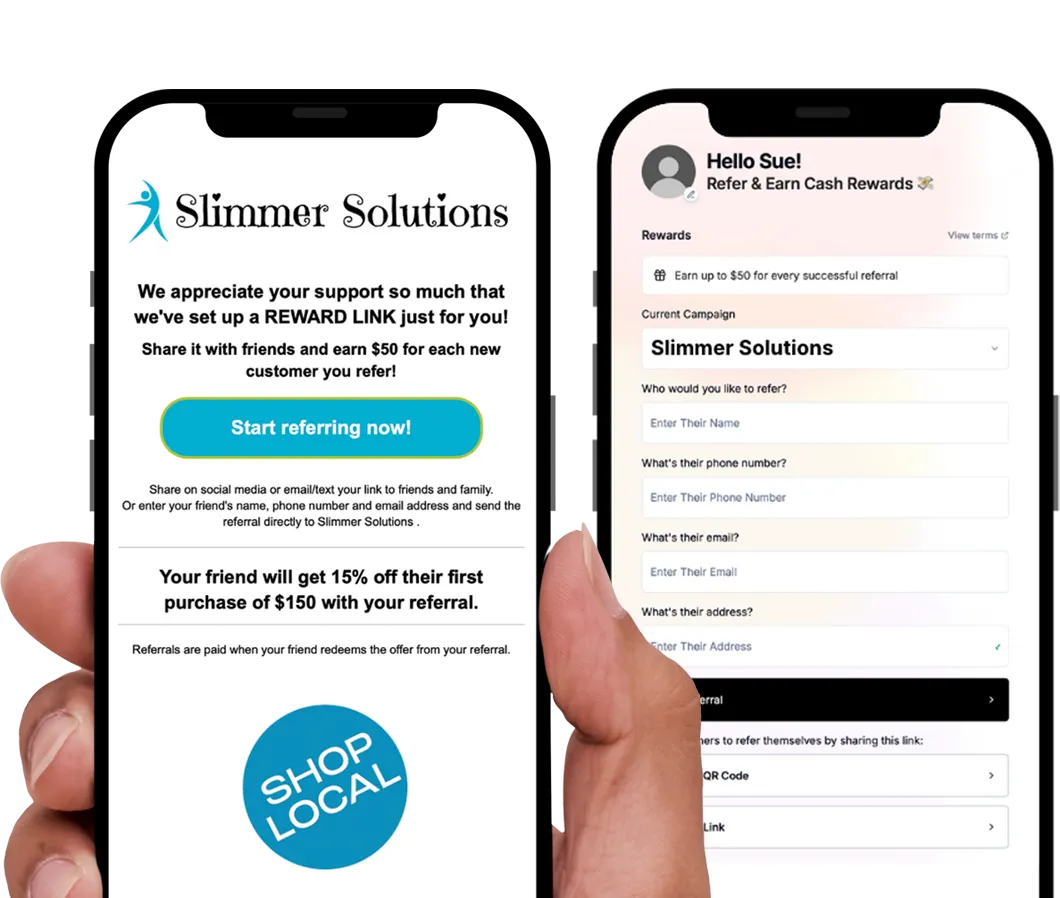
Scan your QR Code to leave a review and sign up.
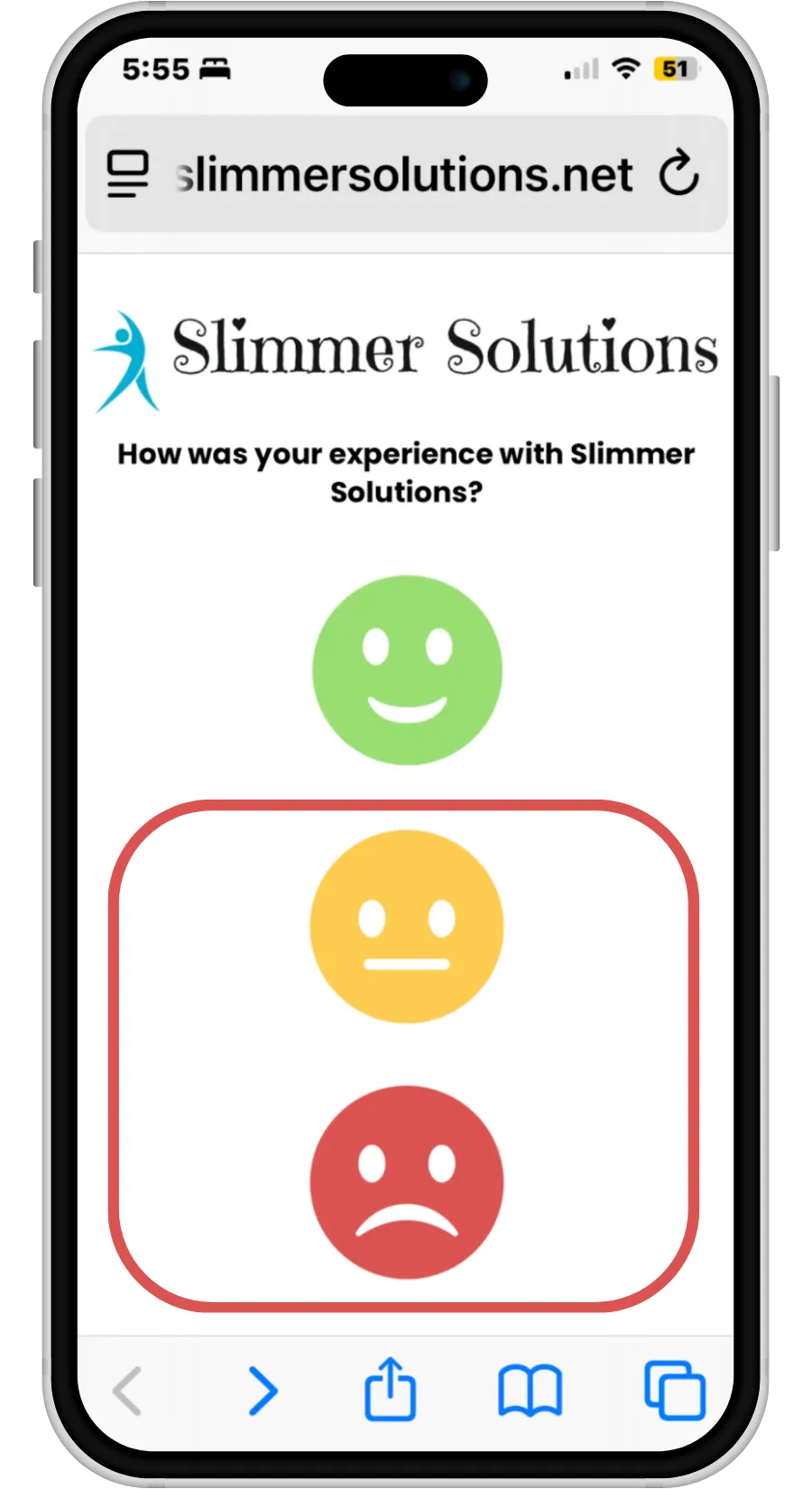
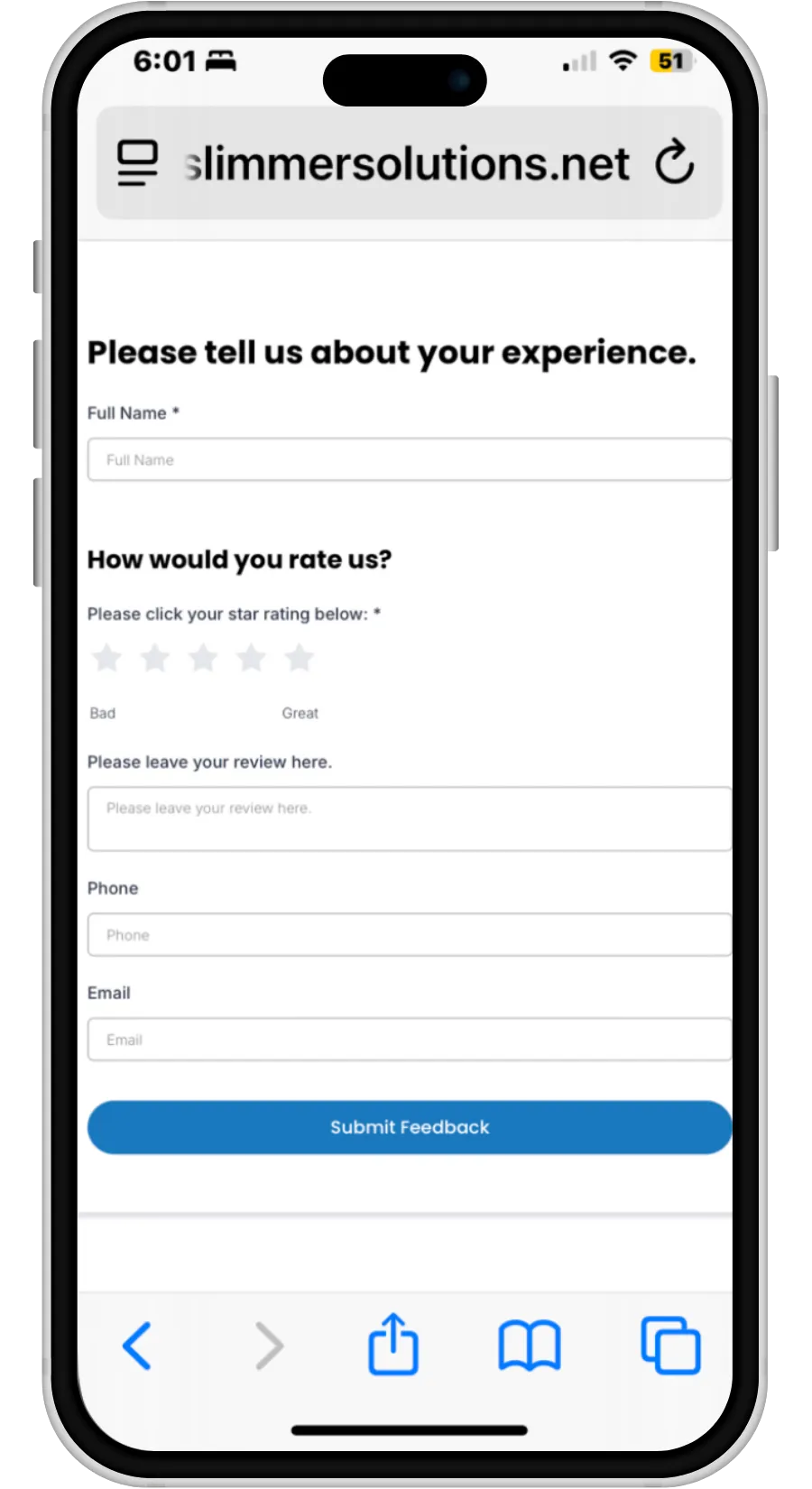
What happens if it's a negative review?
If the sentiment is neutral or negative, the client will be directed to an internal review which will be sent to your business.
Negative Reviews will show in your review funnel.
You will receive an email to notify you of negative review.
NOTICE: Our system is not able to stop bad reviews. A user can always go directly to Facebook or Google to leave a bad review. Additionally, they can “go back” in the survey and access the direct links to Google and Facebook. As a best practice, do not add unhappy customers to your re-engagement lists or ask them to leave a review.
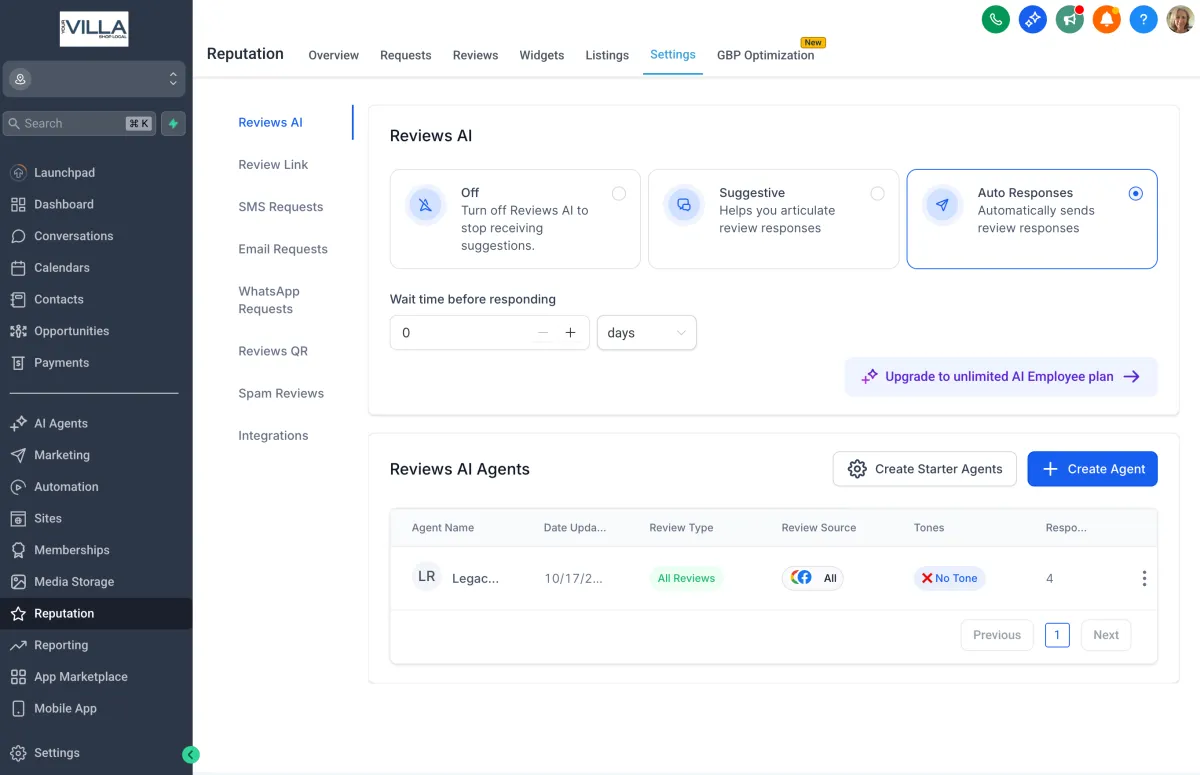
Automatic Replies to Your Reviews
When a new review is posted on your Google or Facebook page, ShopLocal AI reads the message.
The system analyzes tone, rating, and keywords (for example, “fast service,” “great staff,” “pricing issue”).
It drafts a professional, brand-appropriate response using your business voice and key phrases.
You can set it to auto-post replies instantly or review them first before approval.
Each new review gets an instant, professional response — helping you look responsive, build trust, and rank higher on Google.
Testimonials

John Doe
Lorem ipsum dolor sit amet, consectetur adipiscing elit, sed do eiusmod tempor incididunt ut labore et dolore magna aliqua. Ut enim ad minim veniam, quis nostrud exercitation ullamco laboris nisi ut aliquip ex ea commodo consequat.


Jane Doe
Lorem ipsum dolor sit amet, consectetur adipiscing elit, sed do eiusmod tempor incididunt ut labore et dolore magna aliqua. Ut enim ad minim veniam, quis nostrud exercitation ullamco laboris nisi ut aliquip ex ea commodo consequat.