
Pipelines & Rewards
What to Move and When...

The Review Pipeline
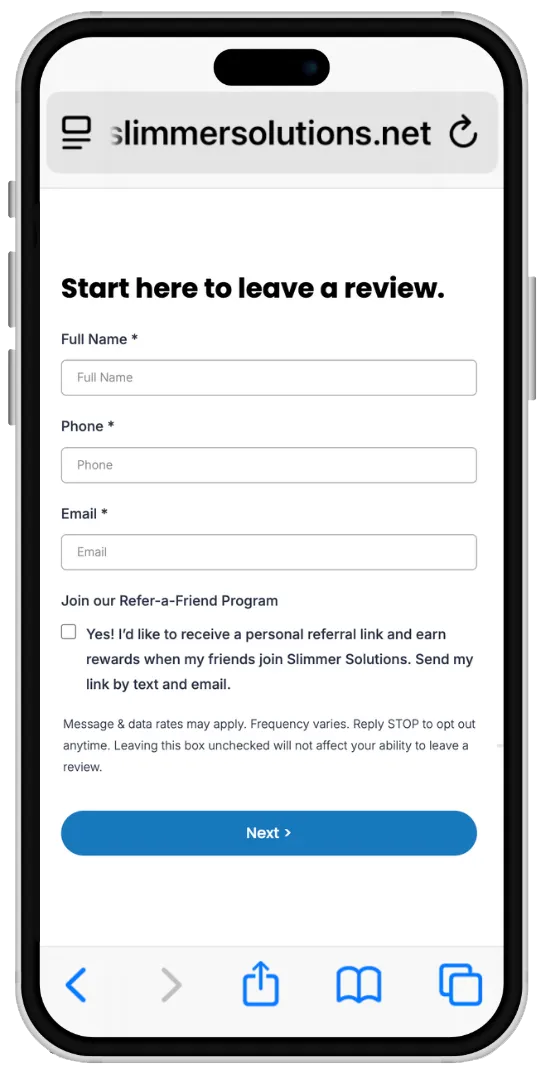
When a client fills out this form and leaves a review on Google or Facebook (or an internal review), they are added to the Review Pipeline.
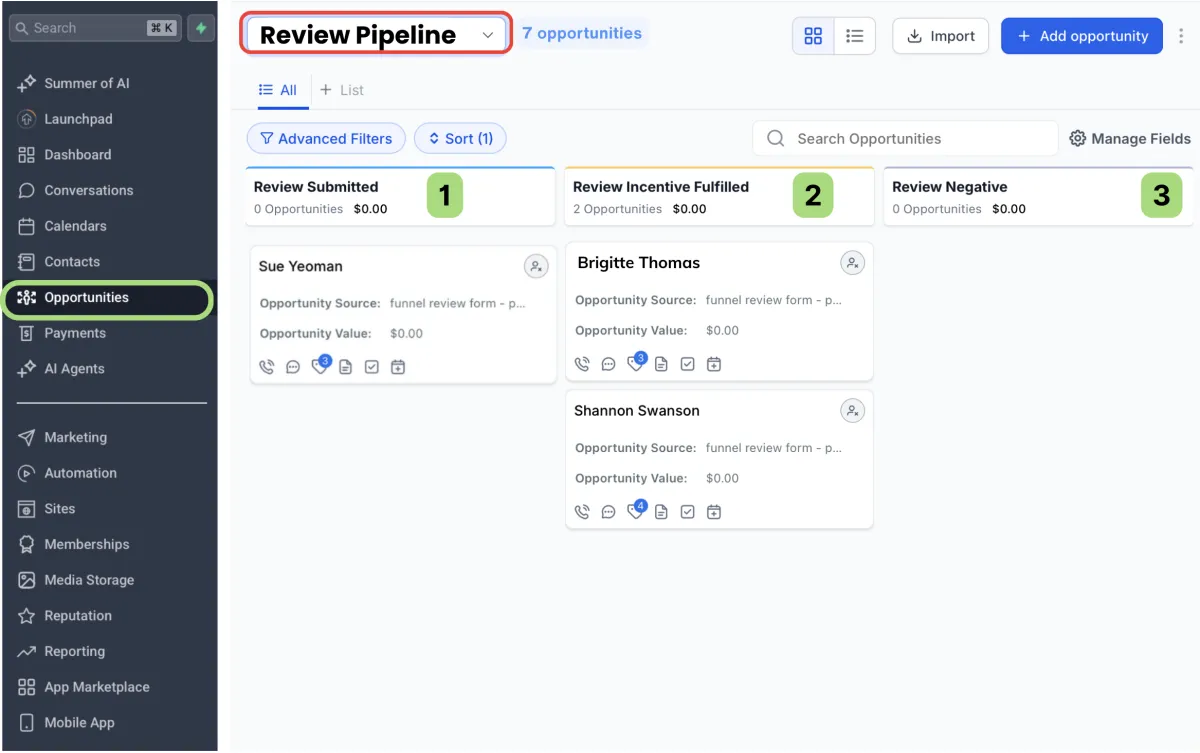
1. Review Submitted:
Added automatically after review is submitted.
(expect a 2 hour delay for Google or FB reviews)
2. Incentive Fulfilled:
Move here once incentive is delivered or contest entry logged.
3. Review Negative:
Neutral or unhappy reviews will show up here so your team can follow-up as needed..
The Referral Pipeline
Use this pipeline to manage new referrals and pay out rewards.
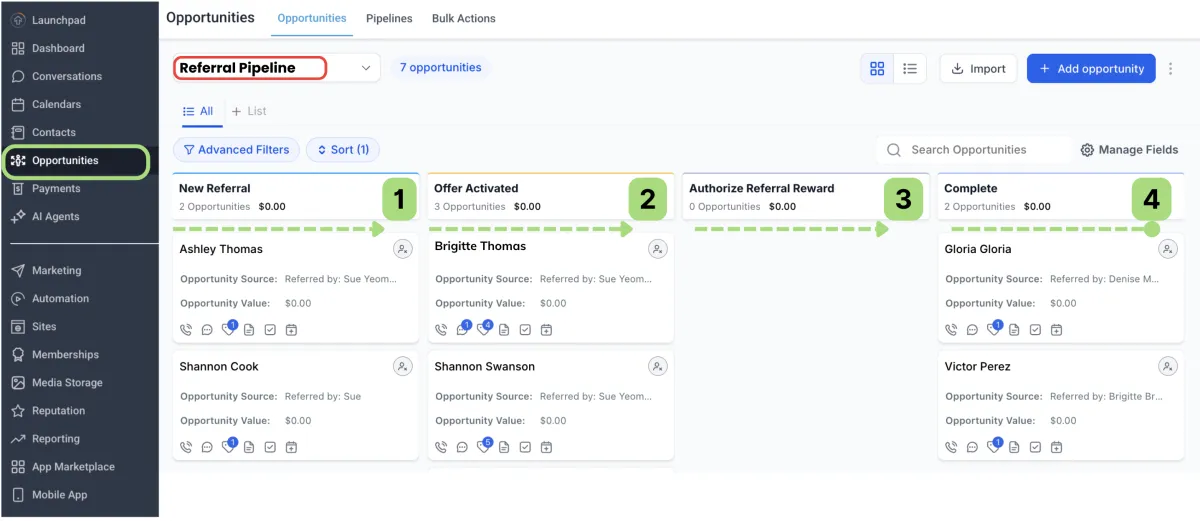
1. New Referral:
Added automatically after the Lead Form is submitted or a Direct Referral is made. You will receive a notification so you can reach out to the lead.
2. Offer Activated:
Contact is automatically moved to this stage when they Activate the Offer on the Claim Offer Email/SMS.
3. Authorize Referral Reward:
Manually move the contact here to pay the Promoter once you have confirmed the purchase.
4. Complete:
Once the referral is complete, move the contact here.
New Referrals begin here...
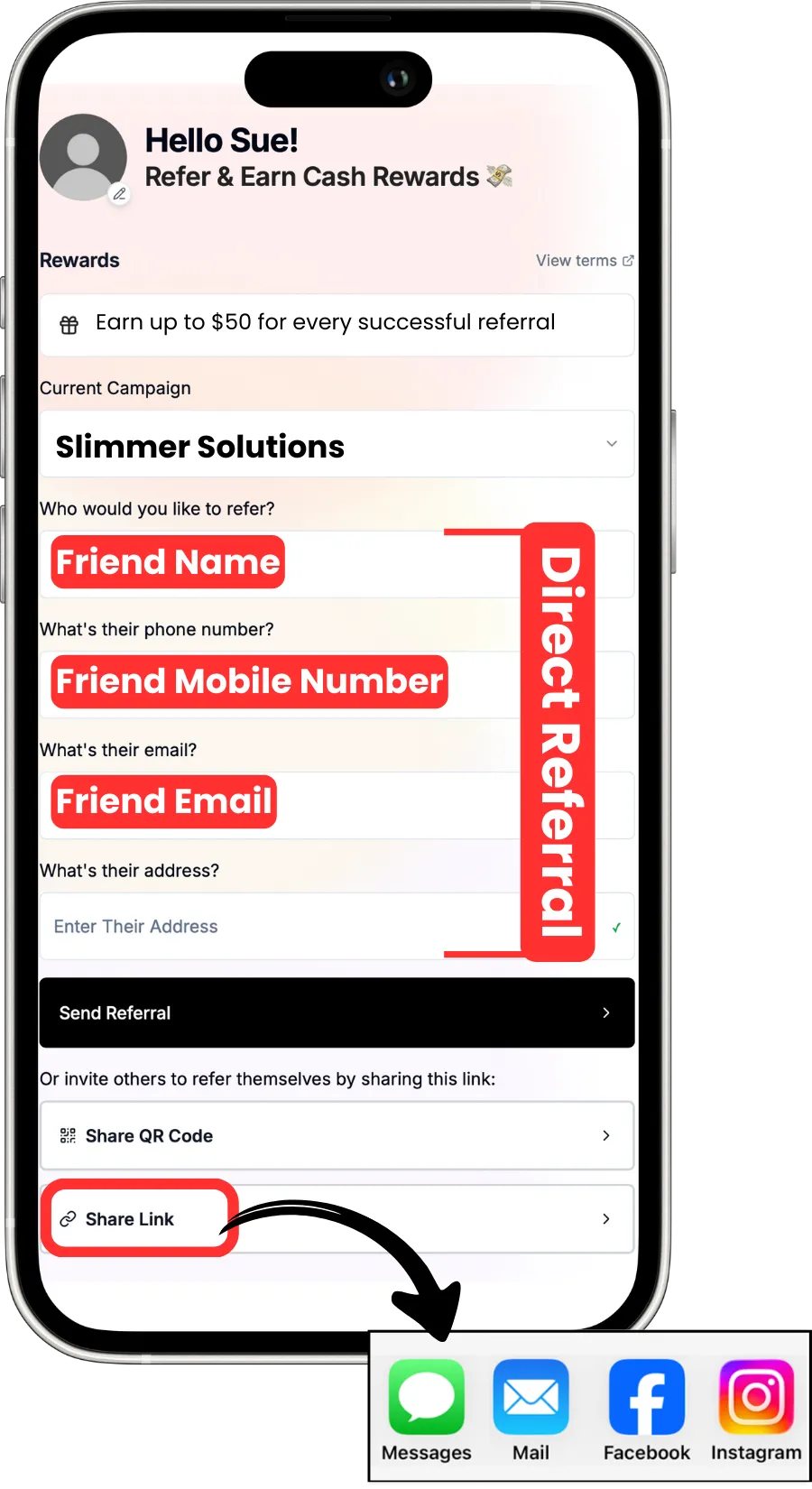
The promoter can refer their friend with Direct Referral or Share their Link by text, email or social media.
Lead Completes the Lead Form.
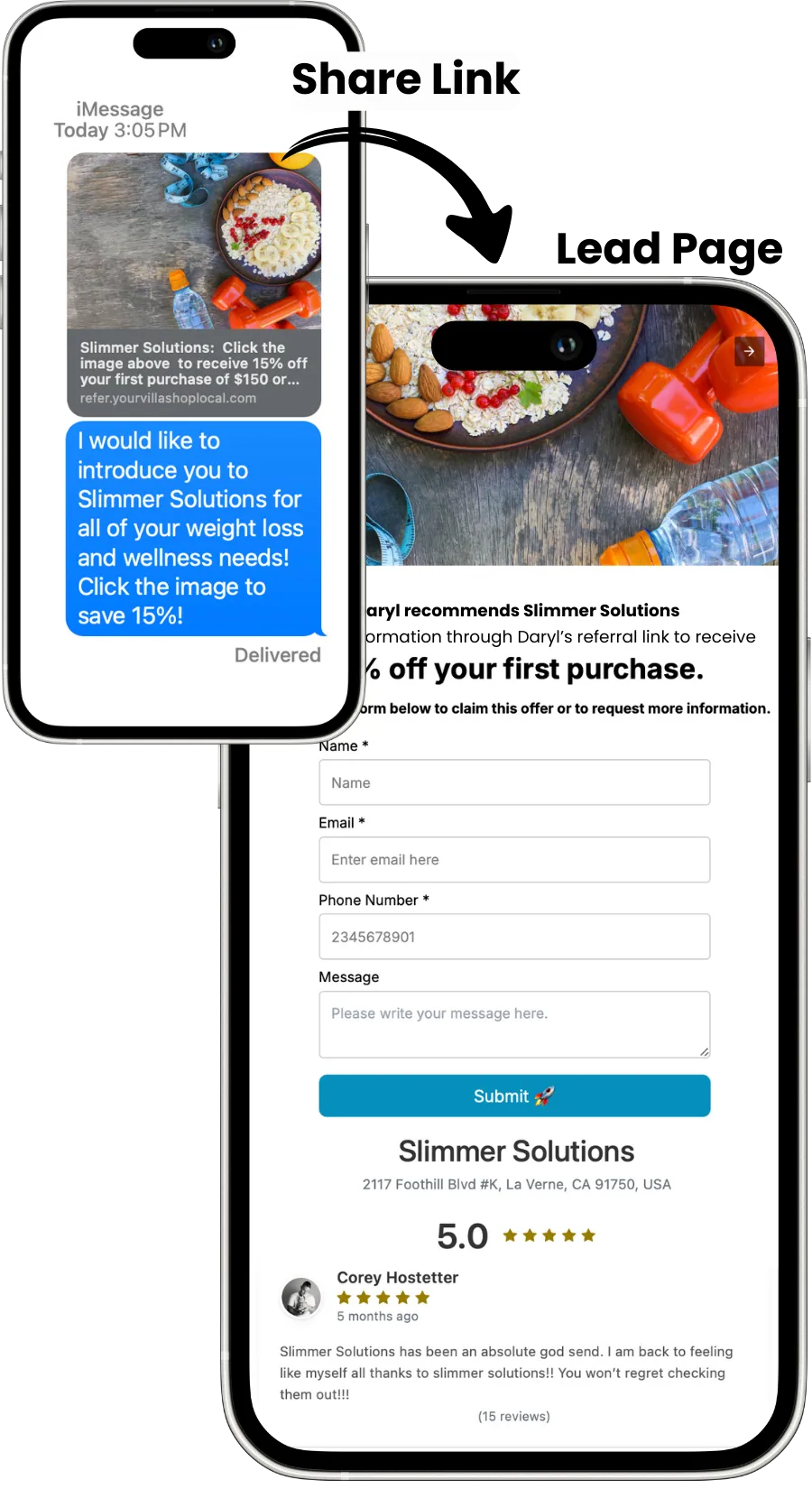
When the Lead Form or Direct Referral is submitted, the lead appears in your Referral Pipeline. The referred friend completes the lead form to receive the offer.
Claim Offer / Offer Activation

When the purchase is made, ask the new client to present the Claim Offer form to redeem their discount. Ask them to "Activate Your Offer" which will automatically move the lead to the "Offer Activated" stage in the referral pipeline.
Authorize Referral Reward
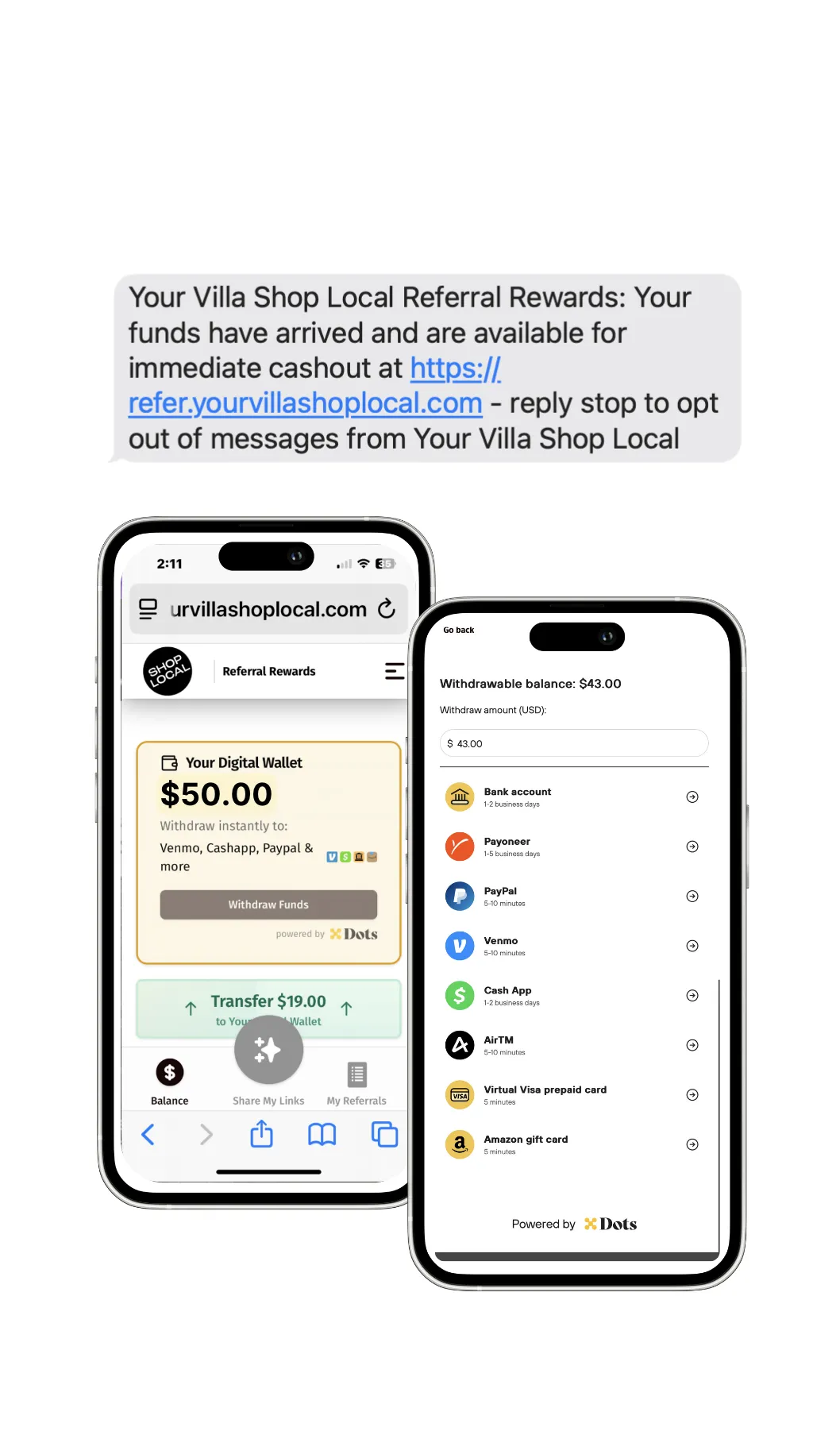
When you Authorize the Referral Reward, your credit card will be charged for the Referral Reward + $1 =10%. The Promoter will be notified of their earnings and they can cash out in the Promoter App.
Testimonials

John Doe
Lorem ipsum dolor sit amet, consectetur adipiscing elit, sed do eiusmod tempor incididunt ut labore et dolore magna aliqua. Ut enim ad minim veniam, quis nostrud exercitation ullamco laboris nisi ut aliquip ex ea commodo consequat.


Jane Doe
Lorem ipsum dolor sit amet, consectetur adipiscing elit, sed do eiusmod tempor incididunt ut labore et dolore magna aliqua. Ut enim ad minim veniam, quis nostrud exercitation ullamco laboris nisi ut aliquip ex ea commodo consequat.