
DAILY ACTION PLAN FOR BUSINESSES
This is the standard workflow businesses should when you receive a ShopLocal notification.

1. Check Email for Notifications
Check your Admin email Inbox
Look for:
New Referral notifications
Offer Activated notifications
(No action required for New Promoter notifications)
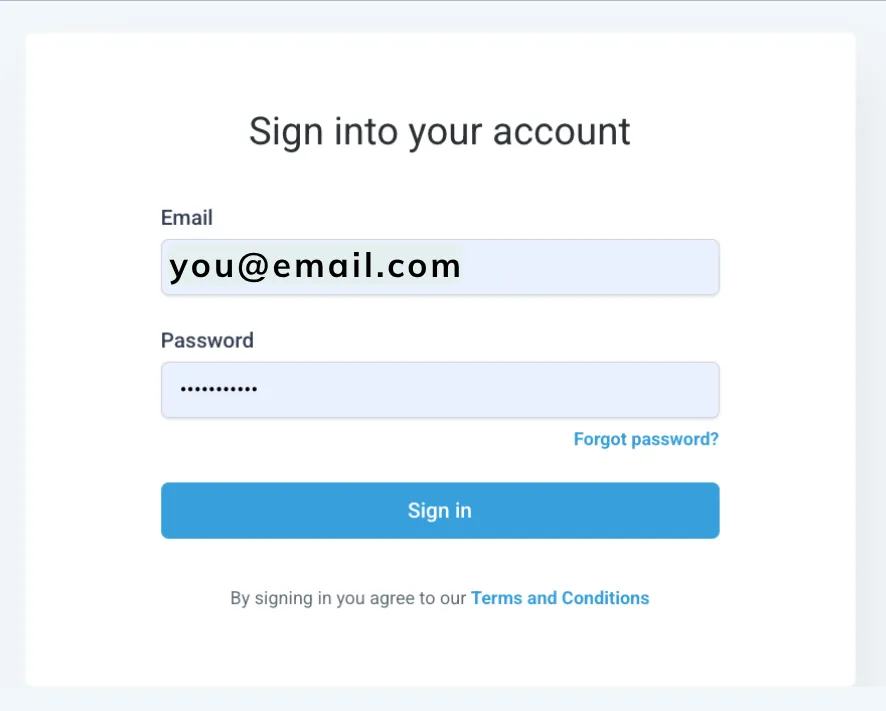
2. Login to your account
Go to app.yourvillashoplocal.com.
Use your email and password or click “Forgot Password” if needed.
A. Contacts
Review the new contacts who have entered your system.
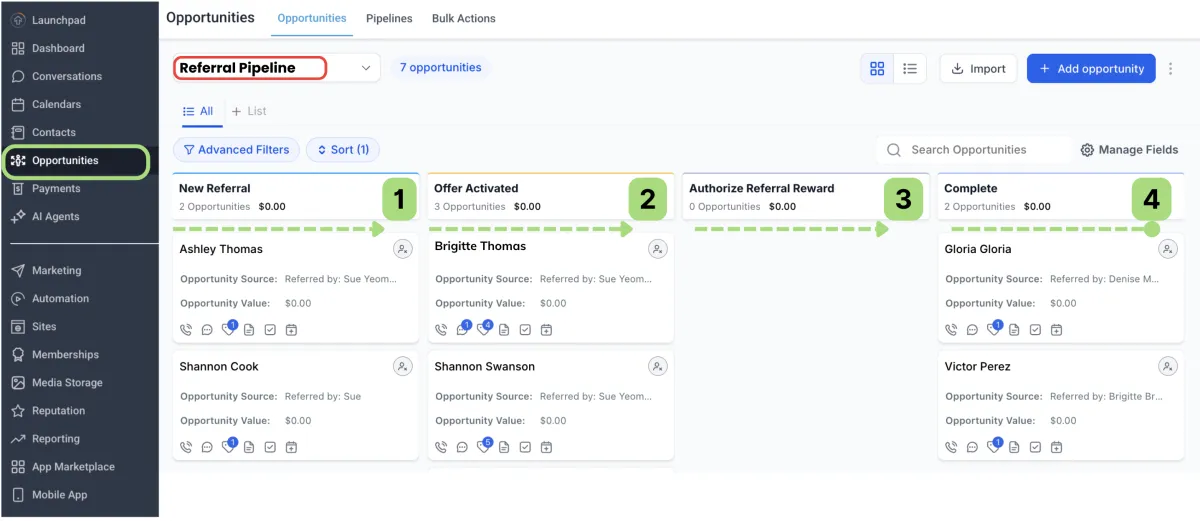
B. Opportunities → Referral Pipeline
Stages you will see:
1. New Referral (automated)
2. Offer Activated (automated)
3. Authorize Referral Reward (manual)
4. Complete/Reward Paid (manual)
C. Opportunities → Review Pipeline
Stages you will see:
1. Review Submitted(automated)
2. Review Incentive Fulfilled (manual)
3. Negative Review (automated)
app.yourvillashoplocal.com
3. Review new Promoters
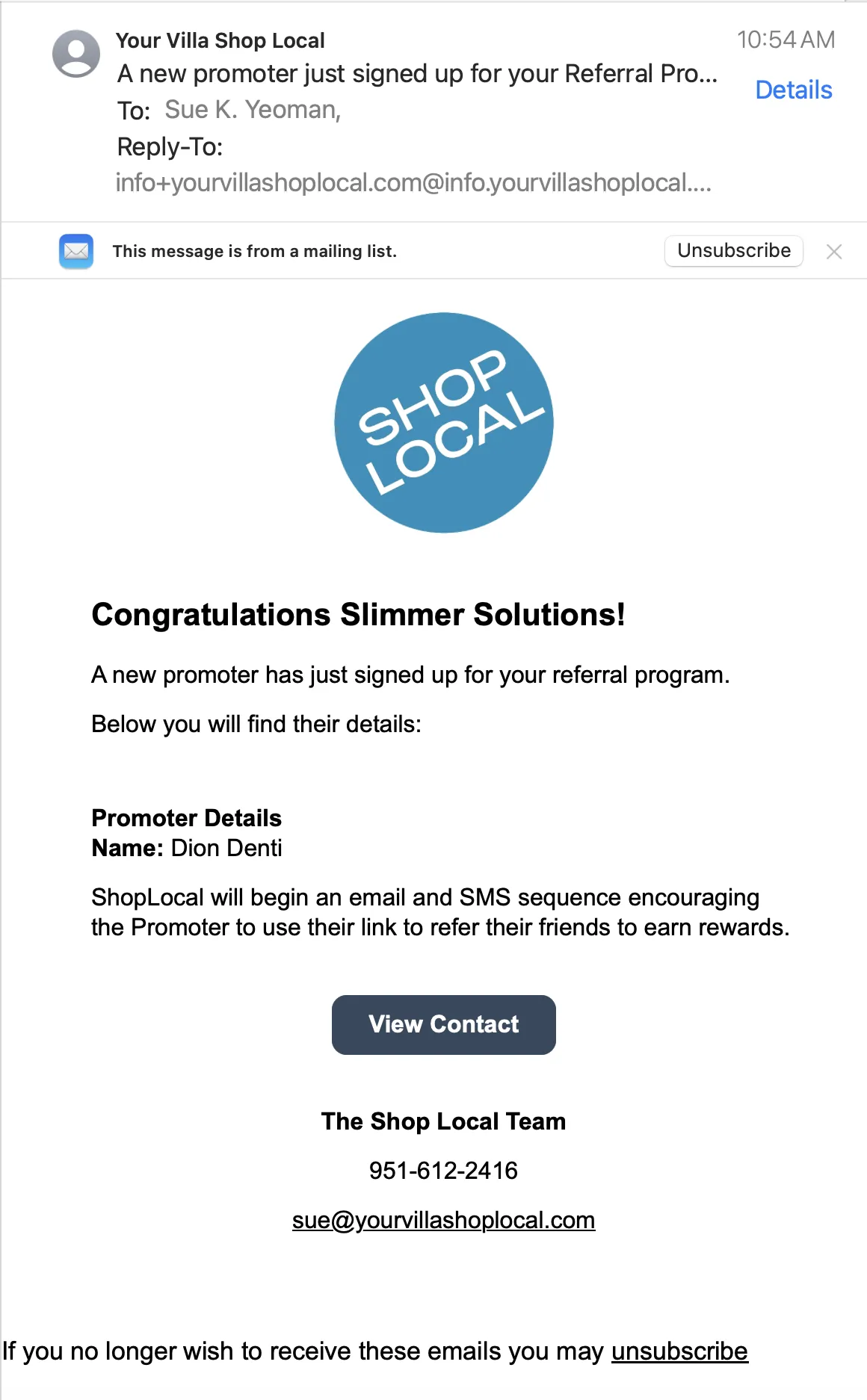
You will receive a “New Promoter” email: when a new promoter signs up for your program.
Business Responsibilities:
No Action Required.
The system will begin a series of email/SMS messages encouraging the Promoter to Share their link to earn rewards.
View Promoter → Contact → Tag = "Promoter"
4. Process Any New Referrals
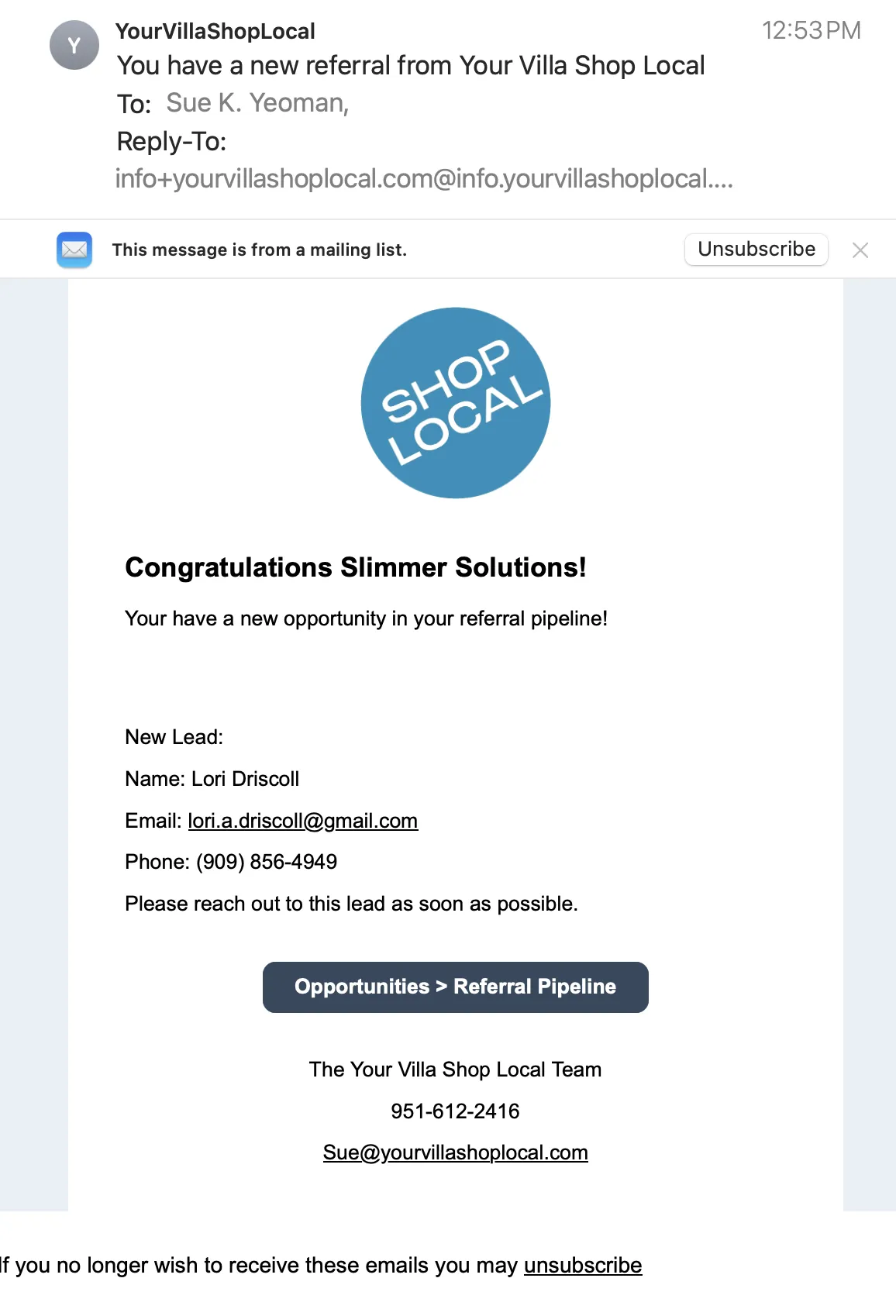
When you receive a “New Referral” email:
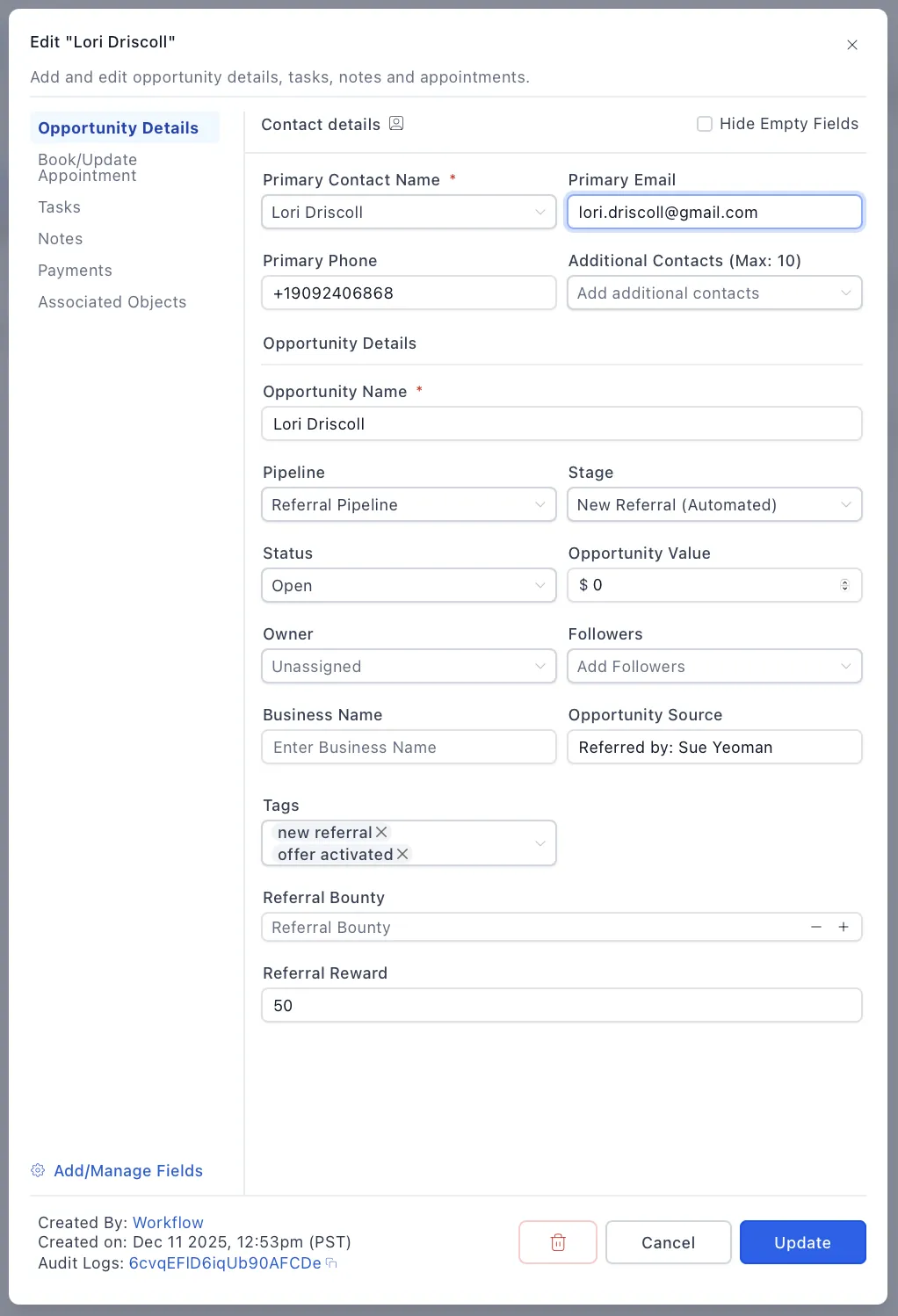
Locate the lead in:
Opportunities → Referral Pipeline → New Referral
Call, email, or text the referred customer to welcome them and answer any questions.
Note any information in the Opportunity Notes field.
New Lead Notification
Example: Contact Details
When a customer redeems the offer at the point of purchase:
Business Responsibilities:
Verify the purchase was completed
Ask the client to show their "Claim Offer" Text or email.
Provide the discount to the client and process the payment for services.
Ask the Client to Activate their Offer
If the client is unable to provide their Claim Offer email or text,
In YVSL, go to:
Opportunities → Referral Pipeline → Offer ActivatedManually move the stage to:
👉 Authorize Referral RewardAfter moving the lead:
The system will automatically:
Notify the promoter their reward is approved.
Charge the business for:
The reward amount
$1 processing fee
10% admin fee
No other action is required from the business.
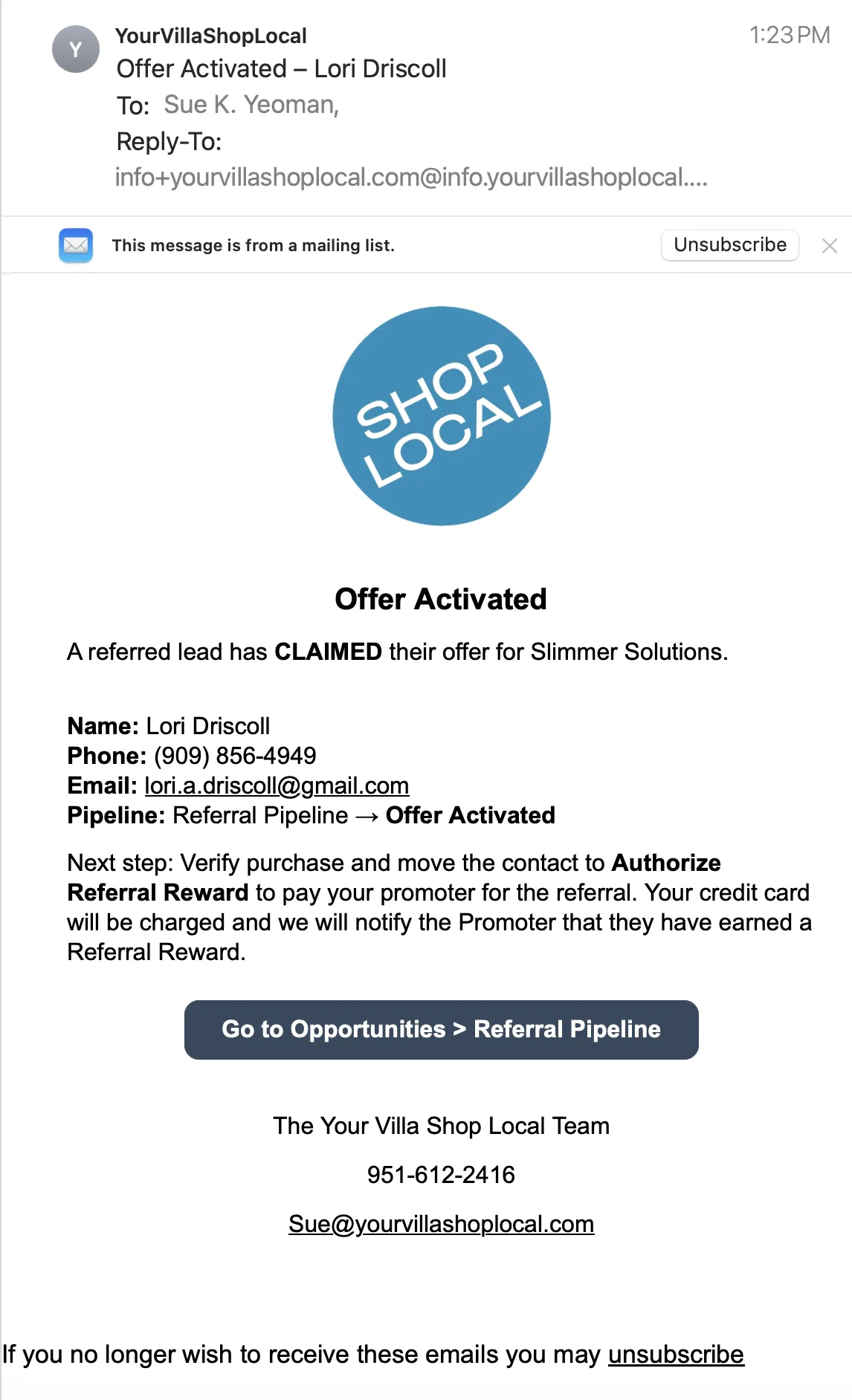
5. Handle Any Offer Activated Notifications
6. Award any Review Incentives
When a customer submits a review, they will show in your Review Pipeline.
Business Responsibilities:
Verify the review was submitted
Upon request or when doing a monthly drawing, reward the review incentive offered for the review.
Once the Review Incentive has been delivered, go to
Opportunities → Review PipelineManually move the contact to: Review Incentive Fulfilled
Testimonials

John Doe
Lorem ipsum dolor sit amet, consectetur adipiscing elit, sed do eiusmod tempor incididunt ut labore et dolore magna aliqua. Ut enim ad minim veniam, quis nostrud exercitation ullamco laboris nisi ut aliquip ex ea commodo consequat.


Jane Doe
Lorem ipsum dolor sit amet, consectetur adipiscing elit, sed do eiusmod tempor incididunt ut labore et dolore magna aliqua. Ut enim ad minim veniam, quis nostrud exercitation ullamco laboris nisi ut aliquip ex ea commodo consequat.