
Email Nurture Campaigns
Automated Emails to keep your clients and leads engaged with your program.

Satisfied Client Email Nurture Seqeuence
Goal: Encourage happy clients to leave a review and join your referral program.
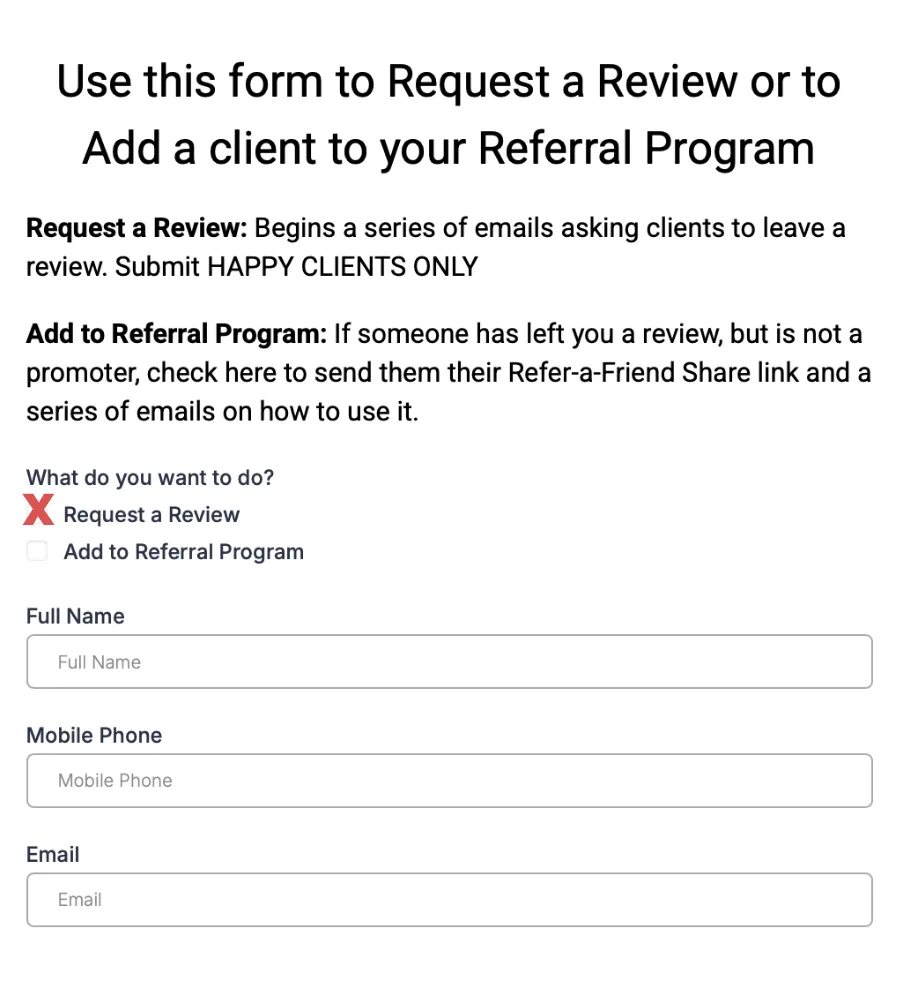
Sent to satisfied clients who have not yet left a review and are not enrolled as promoters.
1. Re-engage Past Clients Form “Request Review”
2. Contact Tag Added: “Request Review”
3. Upload Client CSV file
Schedule: 4 emails sent over 2 weeks.
Message Flow Example:
Email 1 → Invite to share their experience.
Email 2 → “Did you have a good visit? Leave a quick review.”
Email 3 → Introduce referral rewards for sharing your business.
Email 4 → Final reminder with easy review link and referral join option.
Promoter Email Nurture Seqeuence
Goal: Maintain promoter motivation and consistent referral flow.
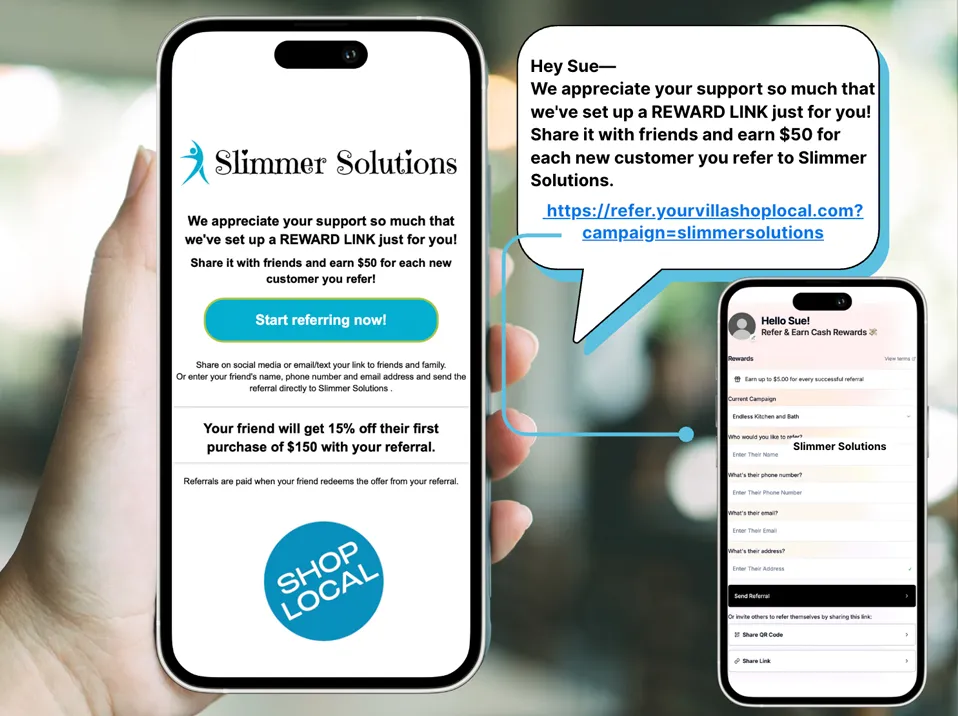
Sent to happy customers who have left you a review and opted in to your Refer-a-Friend Program.
1. Manually added to your program with the Re-Engagement Form.
2. Opted-in when leaving a Positive Review
Schedule:
4 emails in the first 10 days
1 email monthly ongoing.
Message Flow Example:
Email 1 → Welcome to the program + referral link reminder.
Email 2 → How to share your link on social media.
Email 3 → Success story or example of other promoters earning rewards.
Email 4 → Monthly reminder: “Share your link and earn rewards!”
Referred Lead Nurture Seqeuence
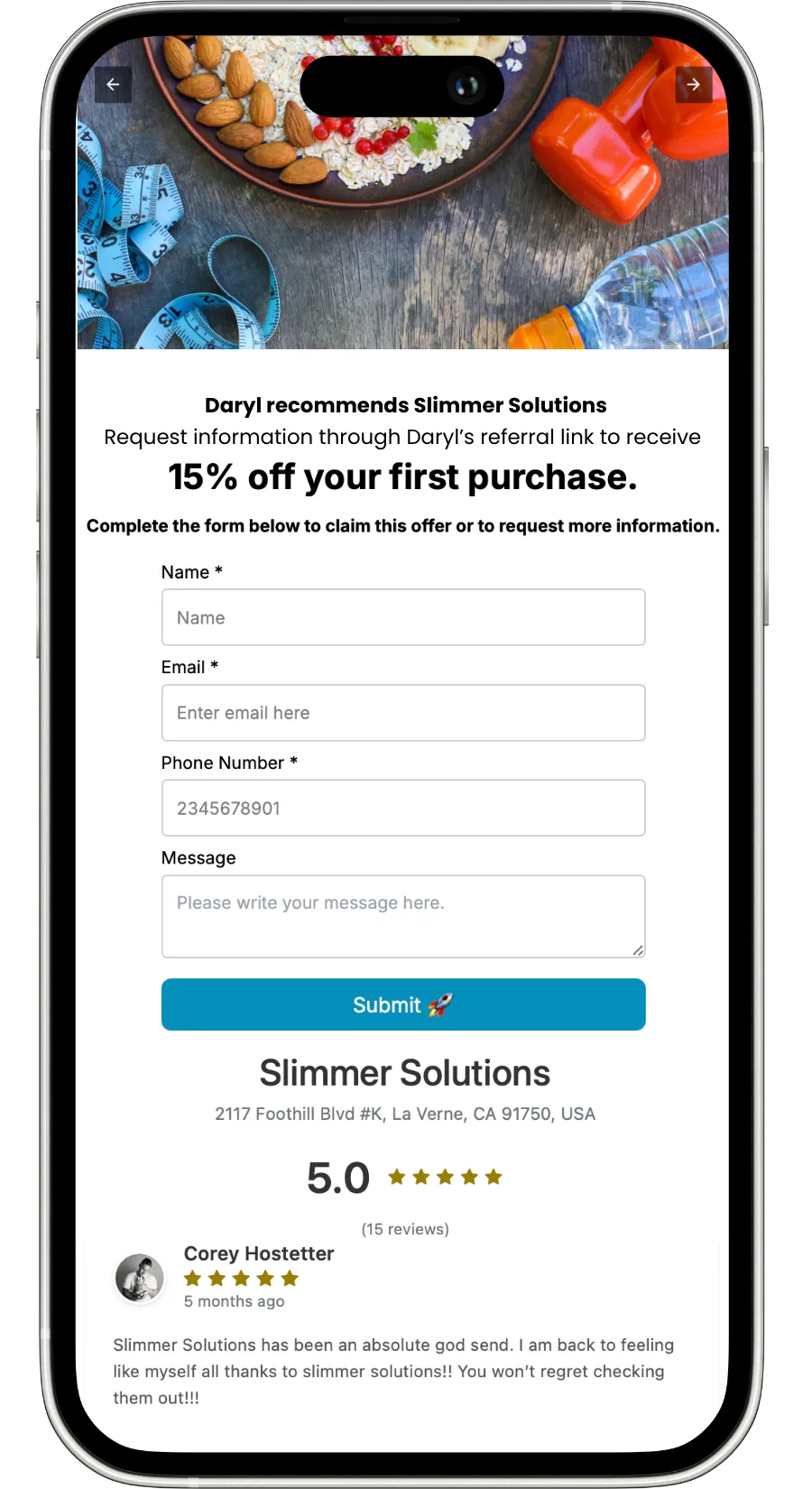
Goal: Encourage the referred friend to claim their offer and become a new customer.
Lead Form
Direct Referral
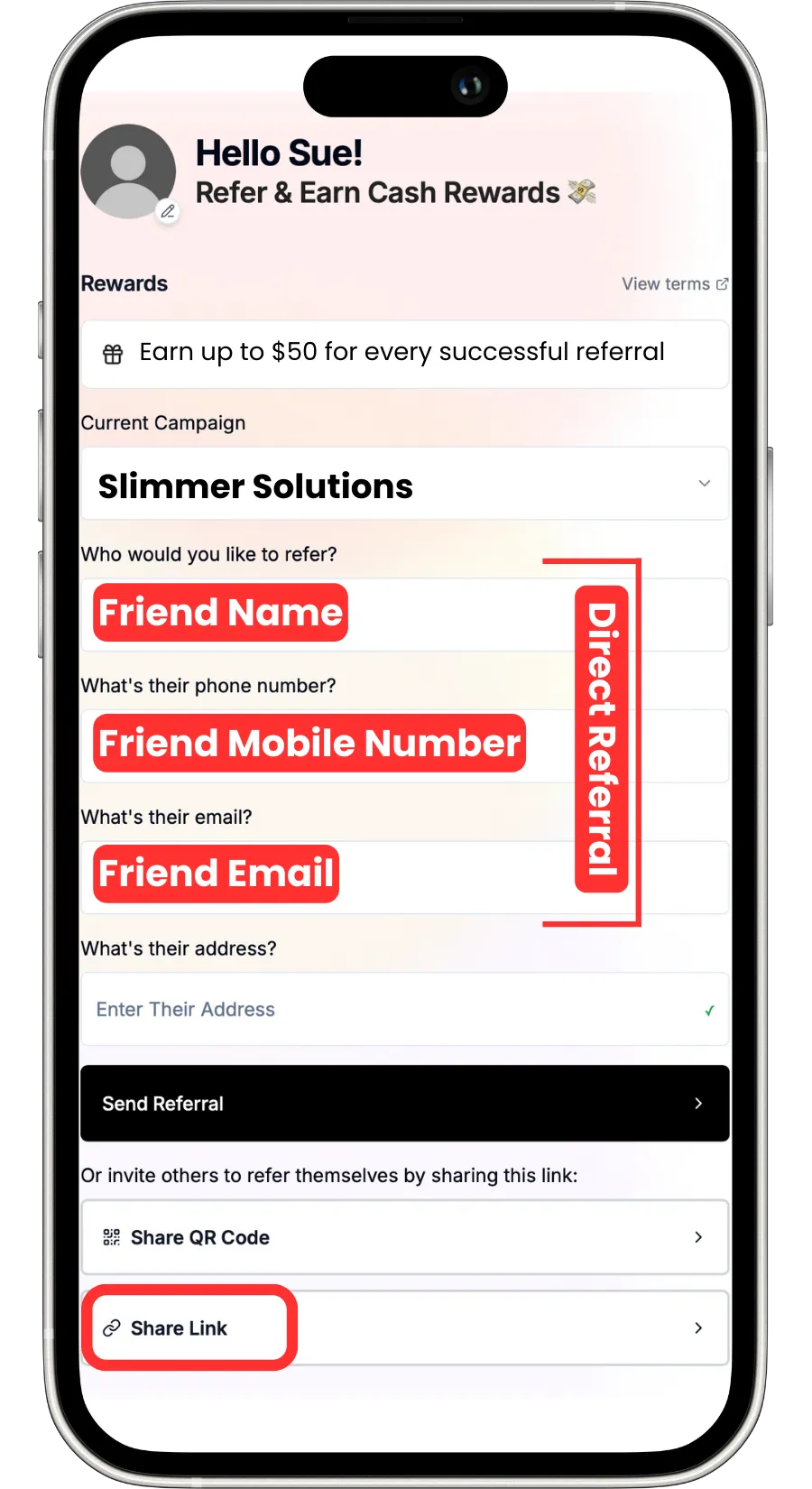
Starts automatically when a lead form is submitted or when a promoter’s referral creates a new lead.
1. Re-engage Past Clients Form “Request Review”
2. Contact Tag Added: “Request Review”
3. Upload Client CSV file
Schedule: 7 total messages (email + SMS) over 2 weeks.
Message Flow Example:
Day 1 → “You’ve been referred! Here’s your special offer.”
Day 3 → Reminder with offer link.
Day 5 → Testimonial or benefit highlight.
Day 7 → Offer expiring soon reminder.
How to View and Edit Email Templates in app. YourVillaShopLocal.com
Follow these steps in your YVSL account:
1. Log in to your business account.
2. From the left-hand menu, go to Marketing → Emails → Templates.
3. Use the Search Bar at the top and look for these names:
• Satisfied Client Series
• Referred Lead Nurture Series
• Promoter Series
4. Click on any template name to preview or edit the email content.
You can customize subject lines, sender name, content, and design.
Use dynamic values like:
Your Villa Shop Local
Please reach out to [email protected] in you have questions or need assistance.
Testimonials

John Doe
Lorem ipsum dolor sit amet, consectetur adipiscing elit, sed do eiusmod tempor incididunt ut labore et dolore magna aliqua. Ut enim ad minim veniam, quis nostrud exercitation ullamco laboris nisi ut aliquip ex ea commodo consequat.


Jane Doe
Lorem ipsum dolor sit amet, consectetur adipiscing elit, sed do eiusmod tempor incididunt ut labore et dolore magna aliqua. Ut enim ad minim veniam, quis nostrud exercitation ullamco laboris nisi ut aliquip ex ea commodo consequat.